Feature
Foot pedals, page turners and Bluetooth remotes
Any Bluetooth pedal, page turner or remote that pairs as a keyboard can drive the prompter. Nothing extra to install.
How to set it up
- Pair the pedal or remote in your device's Bluetooth settings (it appears as a keyboard).
- Open a script in the app.
- Press away. Paging keys and arrows jump through the script; Space plays and pauses.
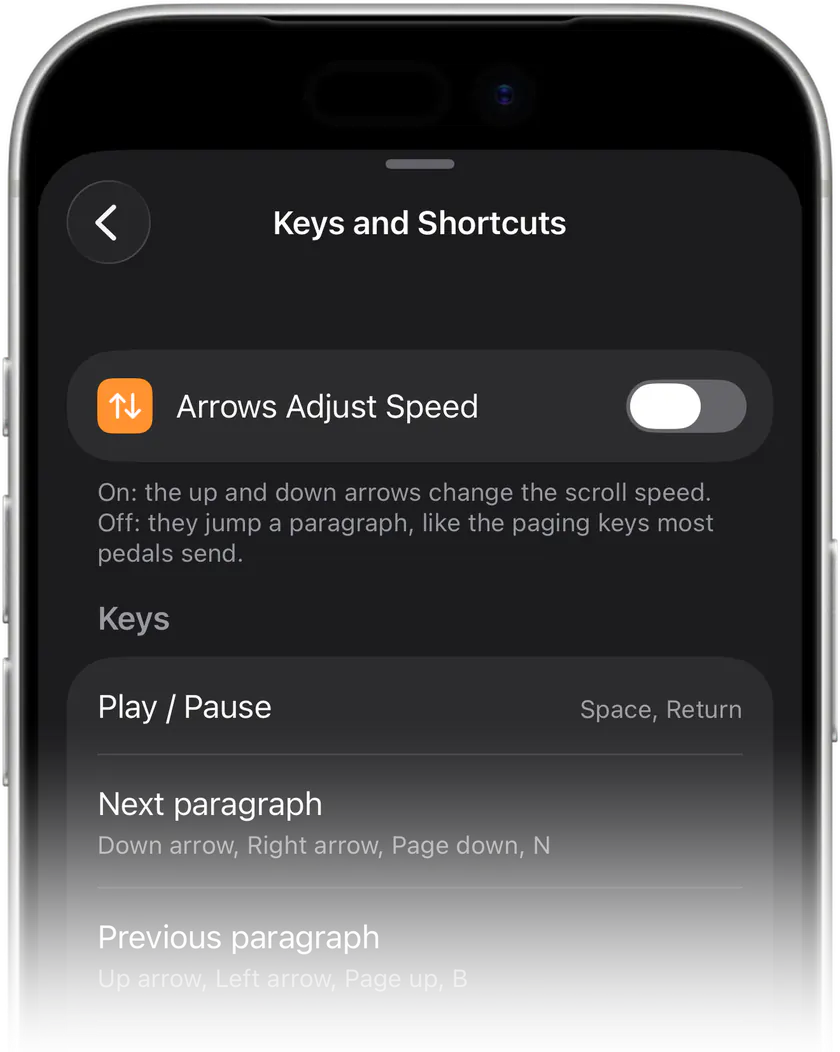
One setting changes the arrows: turn on "Arrows adjust speed" and up and down change the scroll speed instead of jumping a paragraph.
What works
AirTurn and iRig style pedals send paging keys or arrows. Camera shutter remotes in keyboard mode send Space. A regular Bluetooth keyboard works too.

Stop memorizing.Start talking.Download Teleprompter Premium+ now.
No account, no ads. Your scripts stay in your iCloud.


Free to start · No account
Scan to get it
on your phone
Teleprompter Premium+ for iPhone, iPad, Mac, Apple Watch and Android
Frequently asked questions
- Do I need a special teleprompter remote?
- No. Any Bluetooth device that acts as a keyboard works.