

Forget your lines?Get the teleprompter app that follows your voice.

Never forget a line, never sound like you're reading, never lose the lens. The script follows your voice and waits when you pause, so you get it in one take and save hours of retakes.

Download on the App StoreGet it on Google Play

Free to start · No account

or try it free in your browser →
Teleprompter Premium+FileViewWindowHelp44%9:41

Reading from notes used to look awkward.

Not anymore.

Sound natural.

Never robotic.

Look straight into the camera.

They'll never know.

Thanks for hopping on.

In the next two minutes I'll show you exactly how this saves your team hours every week.

Watch what happens when I click here, because this is the part everyone asks about.

It takes one tap, and the whole report builds itself.

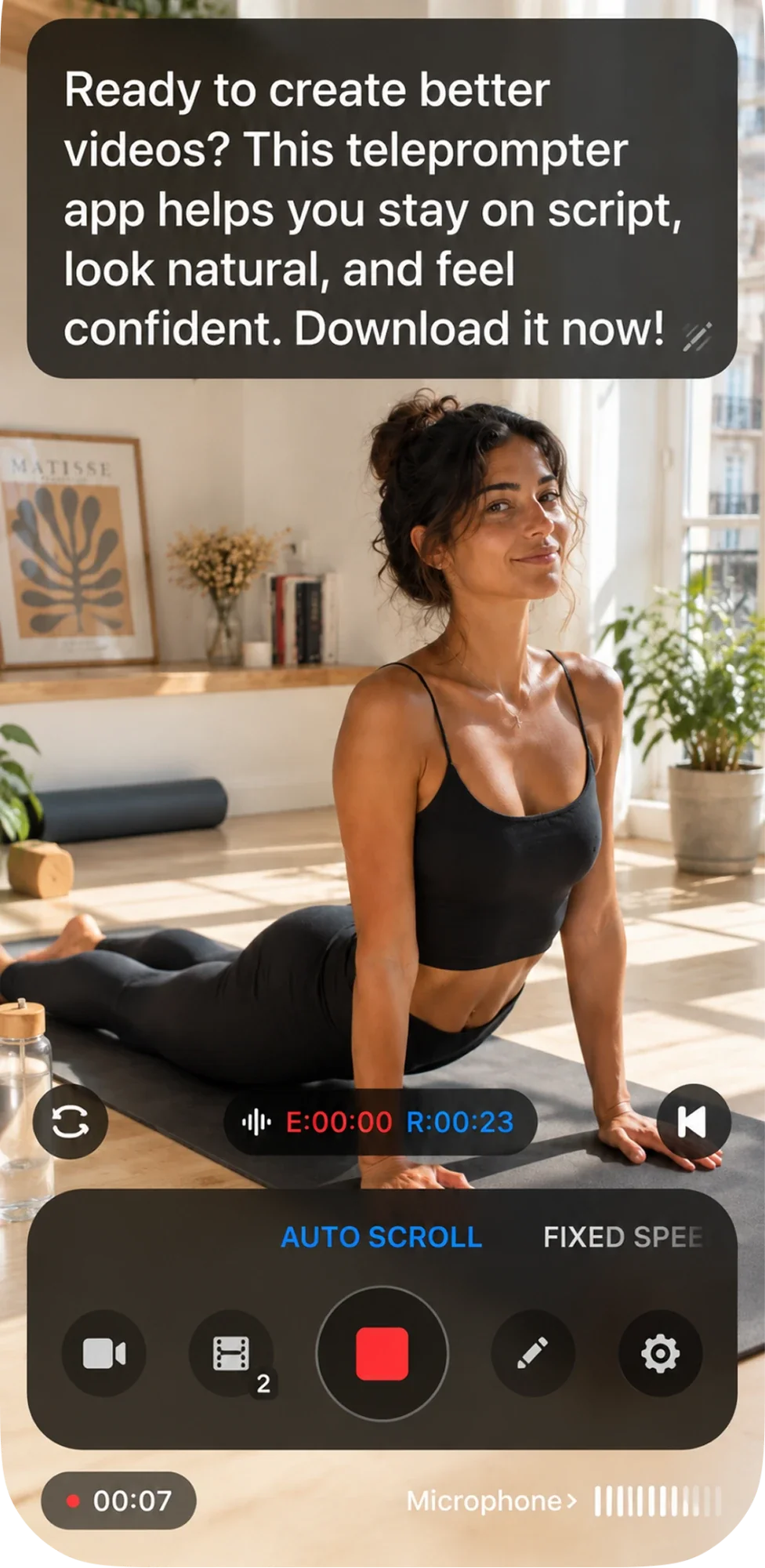
I used to forget my script the moment the camera turned on. Now the words scroll right over the lens. I just look, and talk.
E:00:00R:00:10
AUTO SCROLLFIXED SPEED
00:00Microphone ›
My script9:41
E:00:12R:00:48
❚❚
−25+
Listening…
E 00:12R 00:48

Voice scrolling

You talk. It keeps up.

Most teleprompters scroll at one speed and make you chase it. This one listens, highlights every word you say, and waits when you stop to breathe.

Stop memorizing your lines and start talking to your audience. Whether you are filming a YouTube video, a TikTok or a sales demo, the script sits right under your camera, so your eyes never leave the lens. And it listens. It follows your voice, highlights every word as you say it, and waits when you pause.
E:00:00R:00:22
AUTO SCROLLFIXED SPEED
00:00Microphone ›

Listening…

Recording a video with the script floating over the camera preview

Record with the script over the camera

Look like you're not even reading.

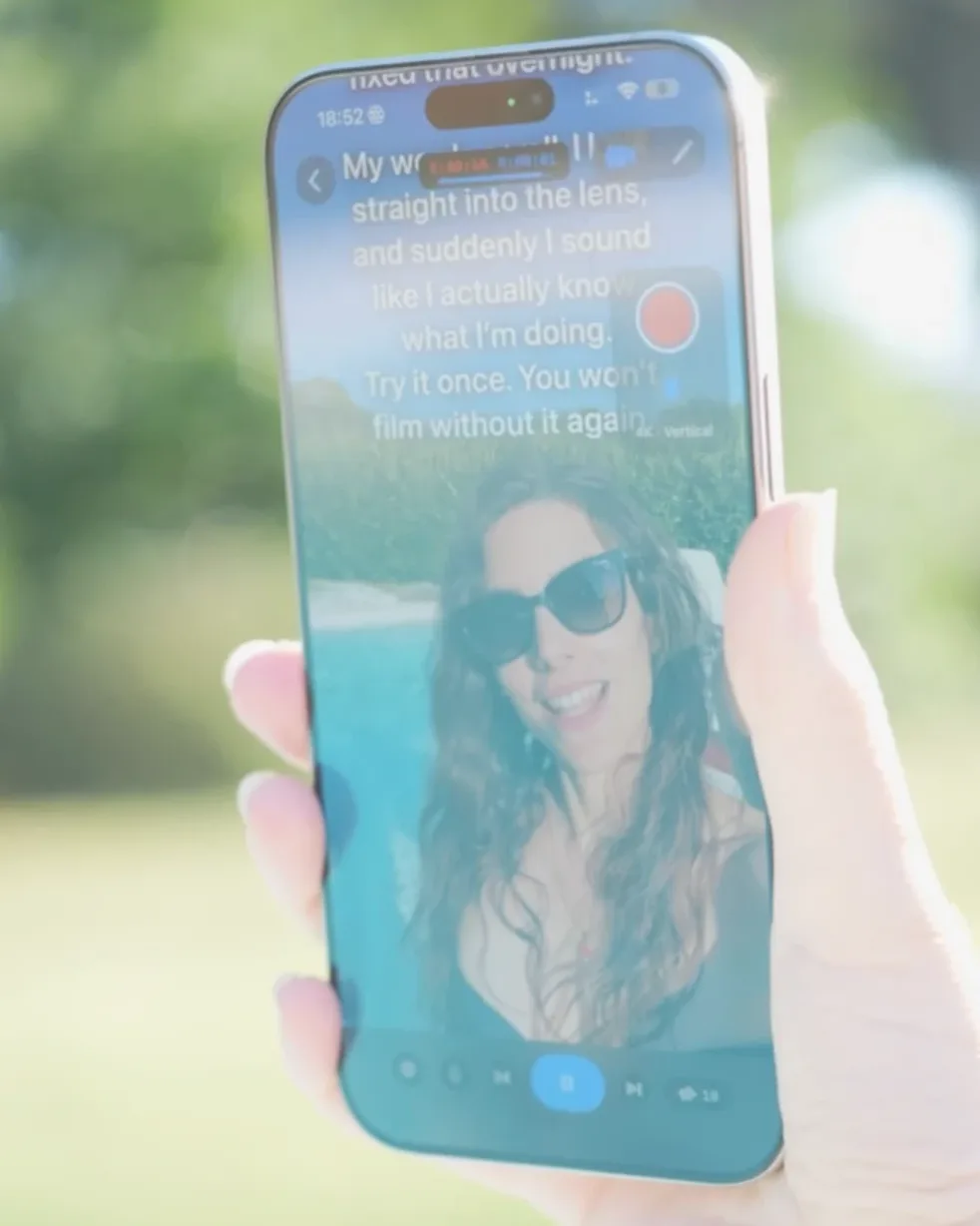
The script floats right next to the lens while you record, front or back camera, with a countdown before it starts. Viewers see eye contact. You see your next line.

  • ✓Front or rear camera
  • ✓Countdown before scrolling
  • ✓Elapsed and remaining time on screen
How recording works →
No tripod babysitter. No one behind the camera. I start the take from my watch, read, and stop when I am done.
E:00:00R:00:08
AUTO SCROLLFIXED SPEED
00:00Microphone ›

Film solo, hands free

No tripod babysitter. No one behind the camera.

Start, pause and change speed from your Apple Watch, your iPhone, or a Bluetooth foot pedal. Stay on your mark and get the take.

  • ✓Apple Watch remote
  • ✓iPhone remote for the Mac
  • ✓Any Bluetooth pedal or page turner
See the remotes →

My Scripts

Recent

Kickoff — opening remarksGood morning, everyone, and thank you for being here. Over the next few minutes…34 words · ~0:13
Try me — read this on cameraHey everyone, quick one today. If you ever read from a script on camera…247 words · ~1:38
Sales call openerHi, it's Alex. I know I'm calling out of the blue…96 words · ~0:38

Folders

App Demo2 scripts
Sales1 scripts
Interview1 scripts
Apps5 scripts

Scripts

Thanks for hopping on. In the next two minutes I'll show you exactly how this saves your team hours every week. Watch what happens when I click here, because this is the part everyone asks about.Product demo — the hook18/9/2026 · 36 words · ~0:14
Hey everyone, welcome back to the channel. Today I'm going to show you something I wish I'd known way earlier. Stick around to the end, because that's where it all clicks. Let's get into it.My first YouTube intro18/9/2026 · 35 words · ~0:14
Good morning, everyone, and thank you for being here. Over the next few minutes I'll walk you through where we are, where we're going, and what I need from you.Kickoff — opening remarks18/9/2026 · 34 words · ~0:13
Hi Mauro. I've reviewed the whole five months, and I want to go through it together, the part that went well and the part I'd like your read on.Interview — Mauro18/9/2026 · 41 words · ~0:16

Your scripts, in your iCloud

No account. No sign up. Just open and read.

Write on the Mac, read on the iPhone. Scripts sync through your own iCloud and never touch our servers. Import PDF, Word, RTF or Markdown in a tap.

  • ✓iPhone, iPad, Mac, Apple Watch and Android
  • ✓PDF, Word, RTF, Markdown import
  • ✓Folders and search
Privacy by design →
Big text, right under the lens, at exactly the speed I talk. It even flips for my teleprompter glass.
E:00:00R:00:07
AUTO SCROLLFIXED SPEED
00:00Microphone ›

Built for real rigs

Mirror it for the glass. Style it for your eyes.

One tap flips the text for beam splitter teleprompters. Set the font, size, spacing, margins, colours and the cue marker that anchors your reading line.

  • ✓Horizontal and vertical mirroring
  • ✓Adjustable cue marker
  • ✓Font, spacing, margins, colours
Pick a hardware rig →
I pasted a clumsy paragraph, tapped review, and got back something that sounds like me. Then I just read it.
E:00:00R:00:08
AUTO SCROLLFIXED SPEED
00:00Microphone ›

AI script review

Clumsy paragraph in. Sounds-like-you out.

Send any part of your script to Claude or ChatGPT with a brief written for the ear, and get it back tightened for spoken delivery, straight into the prompter.

  • ✓Review in Claude or ChatGPT
  • ✓Paste the revised version back in one tap
Try the free script generator →

Remote control

Your iPhone is the remote.

Lay the iPad under the teleprompter glass and keep your iPhone in your hand. Play, pause, jump and set the pace, and the script moves on the glass in real time.

iPad Pro under the teleprompter glass
Stop memorizing your lines and start talking to your audience. Whether you are filming a YouTube video, a TikTok or a sales demo, the script sits right under your camera, so your eyes never leave the lens.
9:41100
‹iPad ProMy script≡
⏮E:00:00R:00:1401:20 ✎⏭
00:1510:00
FIXED SPEEDTIMED SCROLL
  • Pairs in secondsOver your local network. No cables, no accounts.
  • Every control, in your handPlay, pause, jump, speed and timed scroll.
  • Any pairingiPhone to iPad, iPhone to Mac, or your Apple Watch.

Ghost Mode on Mac

Read your notes on Zoom. Invisibly.

A semi-transparent prompter floats over every app, right under your webcam. Nobody on the call sees it. Drive it from your iPhone without touching the keyboard.

Teleprompter Premium+FileViewWindowHelp44%9:41

Reading from notes used to look awkward.

Not anymore.

Sound natural.

Never robotic.

Look straight into the camera.

They'll never know.

Every control, one thumb away

Stop burning takes on a prompter that fights you, and film with controls you can trust.

Teleprompter Premium+ keeps the take, the pace and the look of your script one tap from your thumb, so you stop dreading the reshoot and record with confidence.

4.3 from 3,362 reviews

Video, audio, or just the words

One button in the dock decides what the take records. The script never moves.
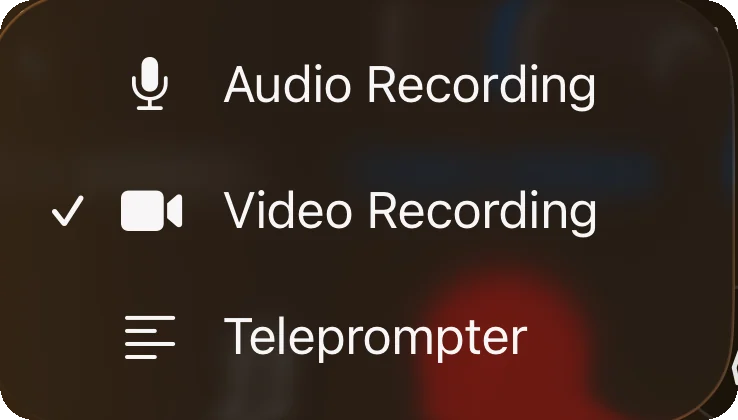
The app's mode menu: Audio Recording, Video Recording ticked, Teleprompter

Readable from across the room

Font size, line spacing, margins and colours.
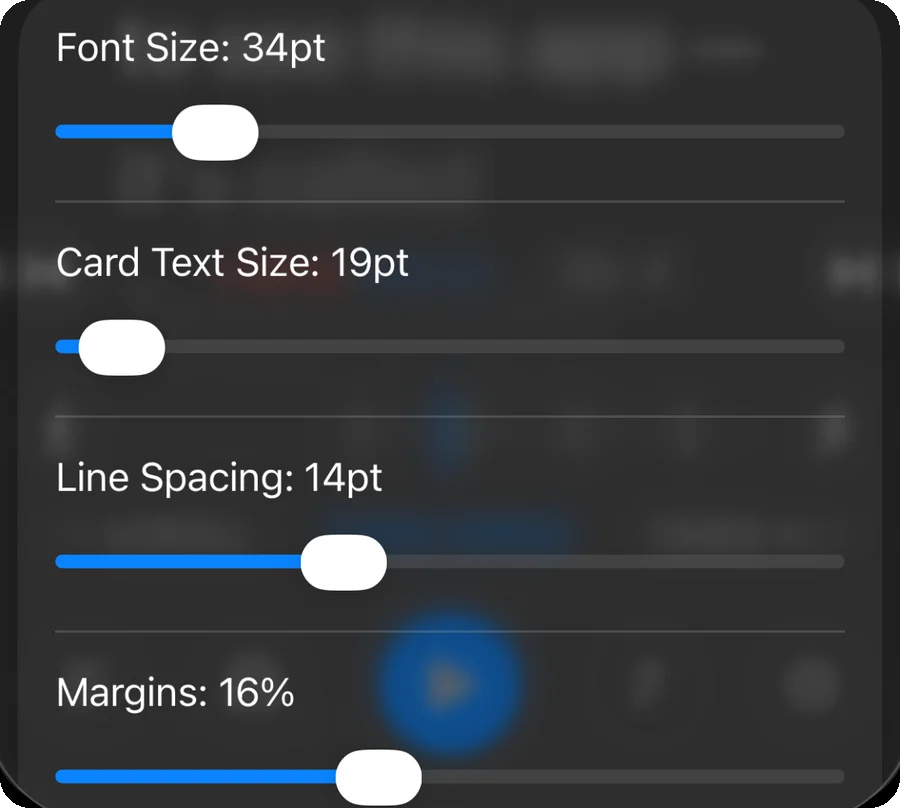
The Text settings card: font size, card text size, line spacing and margins sliders

Your pace, not the app's

Drag the tape mid take, set a finish time, or let your voice lead.
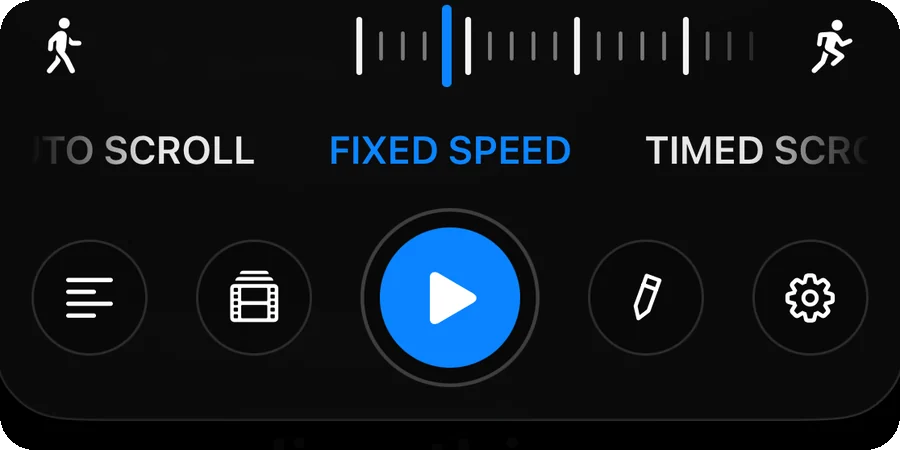
The dock: speed tape with walk and run icons, Auto Scroll, Fixed Speed and Timed Scroll

The reading line, your way

An arrow, a line or nothing at all. Scroll up the page instead of down, if that is your rig.
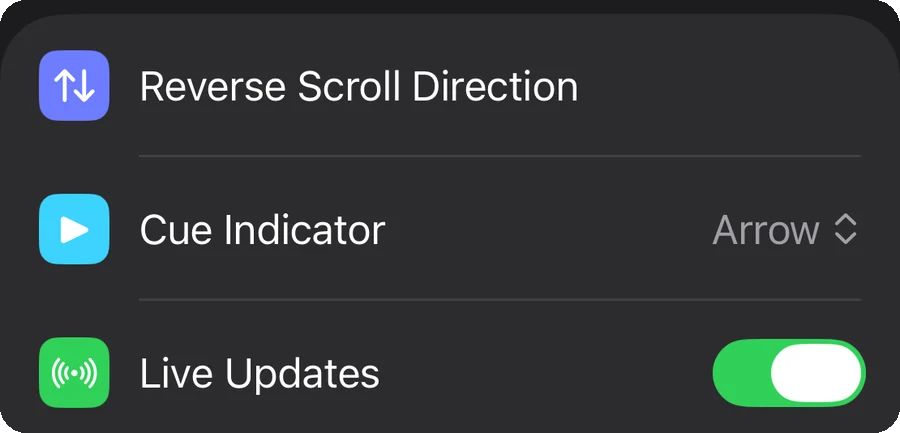
Playback settings: Reverse Scroll Direction, Cue Indicator set to Arrow, Live Updates on

Bring your own script

PDF, Rich Text, Markdown and plain text.
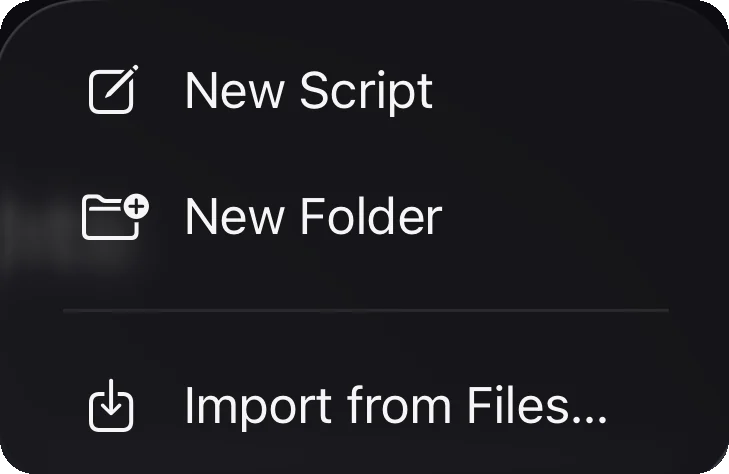
The library menu with New Script, New Folder and Import from Files

Flip it for the glass

Beam splitter rigs read right, every word in place.
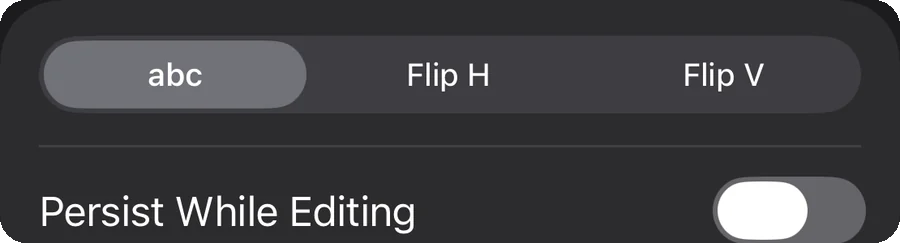
The Mirroring setting with abc, Flip H and Flip V options

Three, two, one, talk

The text moves once you are already speaking.
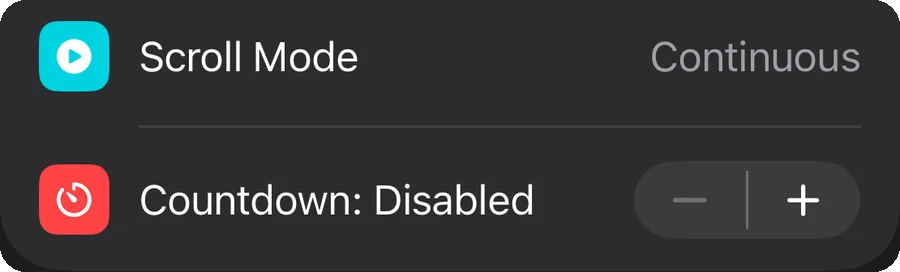
The Scroll Mode and Countdown settings, with a minus and plus stepper

Hands off the phone

Apple Watch, a second device, a clicker or a foot pedal.

The Remote Control row in Settings

Notes you see but never read

Anything in [brackets] is a direction to yourself.

The Bracketed Text Filtering setting turned on

Say it, don't reach for it

“Go next” jumps a paragraph, “go pause” stops it following.

The Voice Commands setting

See every feature →

Nadia holding her iPhone while she films with Teleprompter Premium+, her script scrolling over the camera

What creators say

Loved by creators

“Love this app.”

“I love this app, which lets me use my voice to read naturally. So cool that it works across devices and I can use it on my iPad and Mac too.”

NadiaBeauty creator

App Store review, July 2026 · Translated from Italian

For brands and teams

Write it here. They read it there.

Write or paste a script in your browser, send one link, and the creator opens it straight in the app. No copy-paste, no wrong version.

Your browser

Spring launch, 30s read

Hey, it's finally here. The thing you've been asking for…

Get a link

Their iPhone

Opens in Teleprompter Premium+

Ready to read, at their pace, with their settings.

▶ Read

Anyone who talks to a camera.

TikTok creatorsNews-style reportsWedding speechesKeynotesProduct launchesReal estate toursFitness coachesLanguage teachersTikTok creatorsNews-style reportsWedding speechesKeynotesProduct launchesReal estate toursFitness coachesLanguage teachers

Try it right now

A working teleprompter, in this page.

Press play, set the speed with the ruler and read down the lens. It's the real app screen, free in your browser, on its own page.

▶ Open the free teleprompter

From the blog

All articles →

Before you download

Is Teleprompter Premium+ free?+

Yes, the app is free with up to 3 scripts and full teleprompter playback, so you can try it properly. Teleprompter Plus unlocks unlimited scripts, voice scrolling, video recording, iCloud sync, mirroring, Ghost Mode and the remotes.

How does it follow my voice?+

Speech recognition matches what you say to the script. Each word highlights as you say it, the text waits when you pause, and it finds your place again when you go off script.

Do I need an account?+

No. There's no registration, email or password. Your scripts sync between your devices through your own iCloud.

Does it work on Mac and during Zoom calls?+

Yes. On the Mac, Ghost Mode floats a semi-transparent prompter over any app, so you can read under your webcam during Zoom, Teams, Meet or a live stream.

Can someone else write my script?+

Yes. They write it on this website and send you one link. Tap it and the script opens straight in the app.

Stop memorizing.Start talking.Download Teleprompter Premium+ now.

No account, no ads. Your scripts stay in your iCloud.

Download on the App StoreGet it on Google Play

Free to start · No account

Teleprompter Premium+ for iPhone, iPad, Mac, Apple Watch and Android