Feature
A teleprompter that follows your voice
Voice scrolling listens as you speak, highlights each word, waits when you pause, and picks up exactly where you left off. No pedal, no operator, no chasing the text.
Why fixed-speed scrolling makes you sound like you're reading
A normal teleprompter scrolls at one speed. Real speech doesn't. You slow down for an important point, pause for effect, speed up through a list. With a fixed speed you either chase the text or wait for it, and both show on camera.
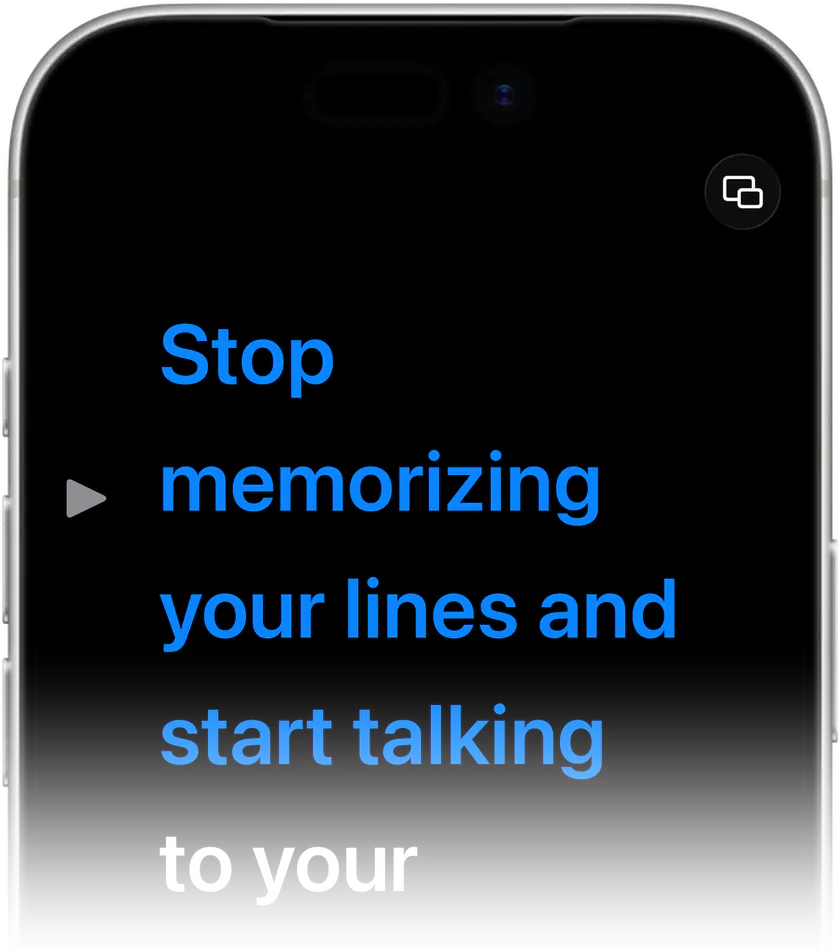
How voice scrolling works
- Speech recognition matches what you say to the script and moves the reading line with you.
- Each word highlights as you say it, so you never lose your place.
- Stop talking and the script waits. Start again and it carries on.
- Go off script for a moment: when you come back to the text, it finds you.
- Notes in [square brackets] are for you, not the audience. The highlight skips them as soon as you say the next word.
- Choose continuous scrolling, or have the text jump straight to the last word you said.

Voice commands
Control playback by voice, with commands detected in the script's language. It's handy when you're alone and the phone is out of reach behind the camera.
Works best with
A quiet room and the device's own microphone or a wired or wireless mic. Voice scrolling needs microphone and speech recognition permission.

Stop memorizing.Start talking.Download Teleprompter Premium+ now.
Try voice scrolling on your iPhone, iPad or Mac.


Free to start · No account
Scan to get it
on your phone
Teleprompter Premium+ for iPhone, iPad, Mac, Apple Watch and Android
Frequently asked questions
- Does voice scrolling work offline?
- The app uses Apple's speech recognition. Many languages recognise on device; availability depends on your device and language.
- What if I improvise?
- The script waits while you're off script and finds your place again when you return to the text.
- Is voice scrolling free?
- Voice scrolling is part of Teleprompter Plus. The free version includes full teleprompter playback with manual speed control.